
How SSL Works and Why Every Allied Health Website Needs It
Let’s face it, clinic owners like you are experts in movement, communication, and rehab… not necessarily website security. But in this digital age, when your practice’s reputation and patient trust are on the line, having a secure website is non-negotiable. Whether your website takes bookings, shares treatment information, or collects new patient enquiries, you’re handling…
Let’s face it, clinic owners like you are experts in movement, communication, and rehab… not necessarily website security. But in this digital age, when your practice’s reputation and patient trust are on the line, having a secure website is non-negotiable.
Whether your website takes bookings, shares treatment information, or collects new patient enquiries, you’re handling personal data. And patients want to know that the information they send through your site isn’t floating around the internet for anyone to grab.
That’s where SSL comes in.
What is SSL—and Why Should Allied Health Clinics Care?
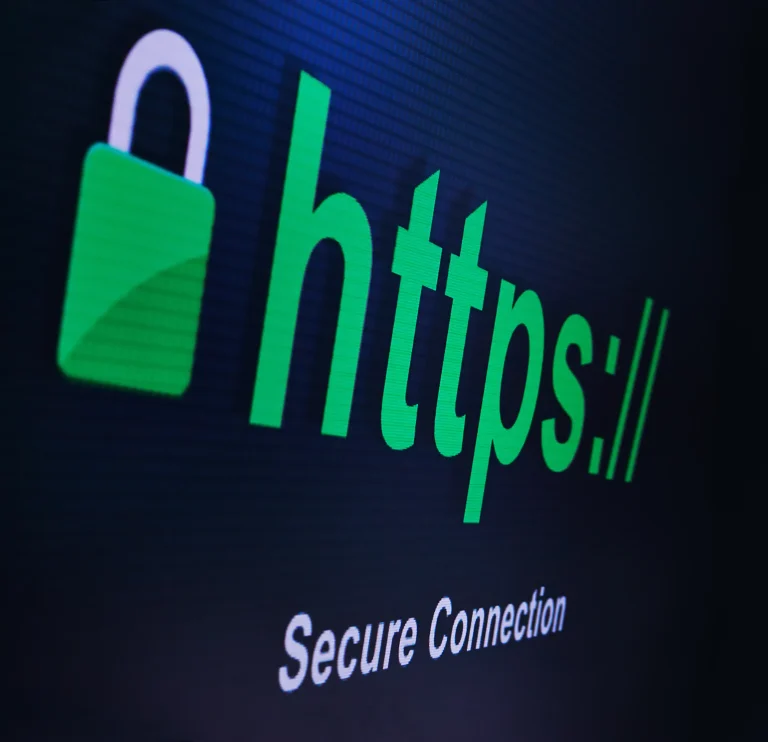
SSL (Secure Sockets Layer) is the tech behind that little padlock you see next to a website’s address. When your site has SSL, the web address begins with “https://” instead of “http://” and that “s” stands for secure.
Here’s the short version:
SSL encrypts (i.e., scrambles) information like names, emails, Medicare numbers, and health history forms as it travels between your website and your patient’s browser. That way, even if someone were to intercept the data, they wouldn’t be able to read it.
If your site doesn’t have SSL, browsers will often warn visitors that your site is “Not Secure.” That’s not exactly reassuring when someone’s about to hand over their contact info or health history.
What Happens When SSL is Working?
The tech behind SSL is complex, but here’s what’s happening behind the scenes every time someone visits your clinic’s website:
- SSL Handshake
When a user visits your site, their browser checks your SSL certificate to confirm your site is legit. - Secure Key Exchange
Your server and the user’s browser agree on a temporary “session key” kind of like a private conversation line. - Encrypted Communication
All the information shared appointment requests, intake forms, contact messages is encrypted and protected from prying eyes.
This whole process happens in milliseconds, and the result? A safe, private connection that builds trust and keeps your clinic’s reputation intact.
Why SSL Matters for Health Professionals
Still wondering if SSL is worth the hassle for your website? Here’s why it’s essential especially if you’re working in health care:
Protecting Patient Data
If someone fills out a contact or intake form on your site, it likely includes private health info. SSL helps make sure that data stays between you and your client—not in the hands of cybercriminals.
Building Trust with Potential Clients
You wouldn’t ignore hygiene in your clinic—so don’t ignore digital safety either. Seeing the padlock and “https” tells visitors your site is safe to use, which builds trust before they even call or book.
Boosting Your SEO
Yep, Google prefers secure websites. Having SSL is one of many ranking signals, and it could help your clinic appear higher in local search results—right where your future patients are looking.
Meeting Legal and Ethical Obligations
As a health professional, you’re already mindful of patient privacy. SSL helps tick the box for online compliance, including Australian Privacy Principles (APPs) and general data security standards.
The Different Types of SSL (No, You Don’t Need the Bank-Level One)
Not all SSL certificates are the same, but you don’t need to go overboard either. Here are the main options:
- Domain Validation (DV): Basic and fast, great for small clinics or solo practices.
- Organisation Validation (OV): Confirms your business identity, ideal if your practice is growing.
- Extended Validation (EV): Highest level of trust, mainly used by big banks or government sites.
You might also come across:
- Wildcard SSL: Covers your main site plus all subdomains (e.g., bookings.yourclinic.com.au).
- Multi-Domain SSL: Great if you’re managing multiple clinic locations under different domains.
Do You Have SSL Set Up Properly?
If your website’s showing “Not Secure” in the address bar, or you’re still on “http://”, it’s time to act. Here’s what setting up SSL usually involves:
- Buy or activate an SSL certificate (often included in your hosting plan).
- Install the certificate via your hosting provider or web developer.
- Update your site links from “http” to “https” to avoid broken images or errors.
- Redirect traffic so that even if someone types “http”, they’re pushed to the secure version.
It’s a bit fiddly, but well worth it—especially when you consider how many patients now research clinics online before making a call.
Your Clinic Deserves a Website That’s Safe, Professional, and Trustworthy
You’ve worked hard to build a clinic that helps people move better, feel better, and live better. Your website should reflect that same level of professionalism—starting with strong, secure foundations like SSL.
If you’re not sure whether your clinic’s website is protected or you’ve got the padlock but it’s still showing errors, we can help.
At Miti Websites, we specialise in building and securing websites for allied health practices across Australia.
Whether you’re a solo OT or running a multi-location physio group, we make sure your site is fast, secure, and ready to grow your practice.
Ready to secure your website? Contact Miti Websites today and let’s tick this one off your to-do list so you can get back to doing what you do best: helping people.